Guests upload directly from their phones — no app download needed, just scan and share.
🎙️
Audio Messages
Guests record heartfelt voice messages and well-wishes in seconds.
✍️
Written Guestbook
A digital guestbook for messages, stories, and memories that last forever.
📱
QR Code Access
Print or display your unique QR code at the event — no logins required for guests.
🔒
Password Protection
Keep your hub private with an optional password — only guests with the code can enter.
🖼️
Photo Wall & Gallery
All uploads display in a beautiful, scrollable gallery visible to everyone in the group.
💬
Comments & Reactions
Guests can react and comment on each other's photos to relive the moments.
📦
Bulk Media Download
Download every photo and video in one ZIP file — yours to keep forever.
Photo Booth
📸
Classic Photo Booth Included
A real photo-booth experience right from any phone — a 4-shot countdown session with live filters and multiple layouts (classic strip, 2×2 grid, Polaroid, film strip) plus animated clips. Guests download their creation instantly or post it straight to your wall. Free for every guest, included with your package — no credits needed.
Live Event Display
🎞️
Live Slideshow for Your Event
Display a beautiful full-screen slideshow on any TV or projector at your venue. As guests upload new photos, they appear in the slideshow automatically — no refreshing needed. Just open the Slideshow tab on any browser, point it at a screen, and let it run all night for a live, crowd-sourced photo experience your guests will love watching in real time.
Keepsakes
📖
Printable Keepsake Directory
Compile guest messages into a beautiful, printable booklet to treasure long after the event.
💡 No app required for guests. Everything works through any web browser on any device — iOS, Android, or desktop.
Guest Experience
👤
Guest Posting (No Account Needed)
Non-registered guests can post photos and leave messages using just their name — nothing to sign up for.
⚡
Real-Time Uploads
Photos appear instantly as guests upload — watch the wall come alive during your event.
📡
Unlimited Simultaneous Guests
100 guests uploading at once? No problem — no waiting in line like a traditional photobooth.
🌍
Remote Guest Access
Guests who couldn't attend can still share their love from anywhere in the world.
🔓 Always open, never locked down. Your hub is public so guests never need an account or login — just scan the QR code and they are in instantly.
Premium Features
🎨
AI Photo Booth (Caricature Generator)
The premium upgrade to the free Classic Photo Booth: transform your guests into fun AI-generated caricature art — right from their phone camera. Each result downloads instantly and is automatically saved to your hub's photo wall. Perfect for creating unforgettable, shareable memories at any event.
Turn your gallery into a shareable video slideshow — perfect for sending to family or posting online.
⭐ Premium
🎨
Custom Branding
Add your names, date, cover photo & custom message to make the hub unmistakably yours.
⭐ Premium
Admin Controls
🛡️
Full Moderation — You're Always in Control
Hide, delete or approve any post or comment. Set your hub to require approval before anything goes public.
👥
Co-Admin Access
Invite your partner or coordinator to help manage uploads and posts.
📧
Email Notifications
Get instant or daily digest emails whenever guests add new photos, videos or messages.
📅
Event Date Management
Set your event date and the hub counts down — then stays active as a permanent memory archive.
📱
Mobile-First Dashboard
Manage everything from your phone — no desktop required.
✨ WedPort — Your Wedding Memory Hub
Every Photo, Every Message, All in One Place
Guests scan a QR code and instantly share photos, videos, voice messages & guestbook notes — no app, no logins. Live slideshow, AI photo booth & keepsake booklet included.
How Do I Tell Guests their Children Aren't Invited to my Wedding?
5 months ago
437
Celina Murphy
If you're not inviting children to the wedding, you probably have a good reason for it, perhaps even multiple good reasons! So why is the idea of breaking this news to your guests so daunting? Well, you might be worried that the affected guests will be hurt or offended that their little ones can't attend.
In general, parents will totally understand why you've decided not to have children at the wedding, but, of course, how you communicate this to your guests is key! Believe it or not, there are polite ways to do it, none of which require you to pen a 500-word essay on the reasons behind your choice.
So, are you ready to see our answer to this frequently-asked question, and read some of our useful sample phrases? Let's go!
Not Inviting Children to the Wedding - What's the Big Deal!?
Unfortunately, there's always a chance that some friends or family members will take offence to how you've arranged your guest list, children or no children! But it's important to remember that the vast majority of your guests are reasonable people who, above all, want you to have a great day. Parents understand that most types of wedding aren't suitable for young children, and many would actually prefer a night off.
Most of them will have planned a wedding of their own, and remember how difficult it is to make a guest list work within budgetary and/or venue capacity restrictions. These days, most couples either don't invite any children to their wedding, or only invite children from the immediate family (with an exception for newborns and breastfeeding babies), so the fact that you're having an adult-only wedding shouldn't come as a shock.
How Do I Tell Guests their Children Aren't Invited to my Wedding?
Let's start by looking at your options! There are four main ways that couples tend to communicate this information to their guests;
If there are only a few parents on the guest list, it might be practical for the couple to discuss it with them directly, via phone, email, message or in person. In this case, we recommend that you carefully plan what you're going to say in advance - our sample phrases below are a great starting point.
Some couples choose not to explicitly state that they're having an adult-only wedding anywhere, instead just addressing the invitations to the parents, and not including their children's names on them. We don't recommend this route, as it can cause confusion for the guests, and potential awkwardness if the parents assume, as some might, that their children are invited too.
Many couples choose to include a line on their invitations that states that they are having an adult-only wedding, which isn't as tricky as it sounds, if you use one of our sample phrases below. This one is, by far, our favourite method on the list, as it's impossible for guests to miss, and lets everyone know where they stand. If you're inviting children of immediate family, newborns and/or breastfeeding babies, you can include a card with their parents' invitations to let them know their little ones are welcome.
Many couples choose to combine points #2 and #3 above, addressing the invitations to parents only, and then including a line on the FAQ page of their wedding websiteto explain that children aren't invited (see our sample phrases below.) This is a really good option, but it's worth bearing in mind that not every guest will visit your wedding website, so there's still room for misunderstanding.
Not Inviting Children to the Wedding: Handy Sample Phrases
We've included handy sample phrases below to use on your wedding invitations, on the FAQ page of your wedding website, or when discussing the issue with your guests. The most important thing is to be clear and concise. It's your wedding, so you shouldn't feel like you have to explain your decision in great detail. It's fine to give an explanation, but it's best to keep it short!
On your wedding invitations: Please note that this invitation is extended to adults only.
On your wedding invitations: In order to allow parents a well-deserved evening off, we have chosen for our wedding day to be an adult-only occasion.
On your wedding invitations: In order to allow all guests, including parents, an evening of relaxation, we have chosen for our wedding day to be an adult-only occasion. We hope this advance notice means you are still able to attend our big day and will enjoy having the evening off!
On your wedding invitations: Wedding ceremony followed by adult-only reception.
On your wedding invitations: Due to restrictions at the venue, we can only accommodate children of immediate family at our wedding.
On your wedding website's FAQ page: Is this an adult-only wedding? Yes, we hope parents will enjoy their well-earned night off!
On your wedding website's FAQ page: Is this an adult-only wedding? Largely, yes! Due to restrictions at the venue, we can only accommodate children of immediate family at our wedding.
On your wedding website's FAQ page: Will children be attending the wedding? In order to allow all guests, including parents, an evening of relaxation we have chosen for our wedding day to be an adult-only occasion. We hope this advance notice means you are still able to share our big day and will enjoy having the evening off!
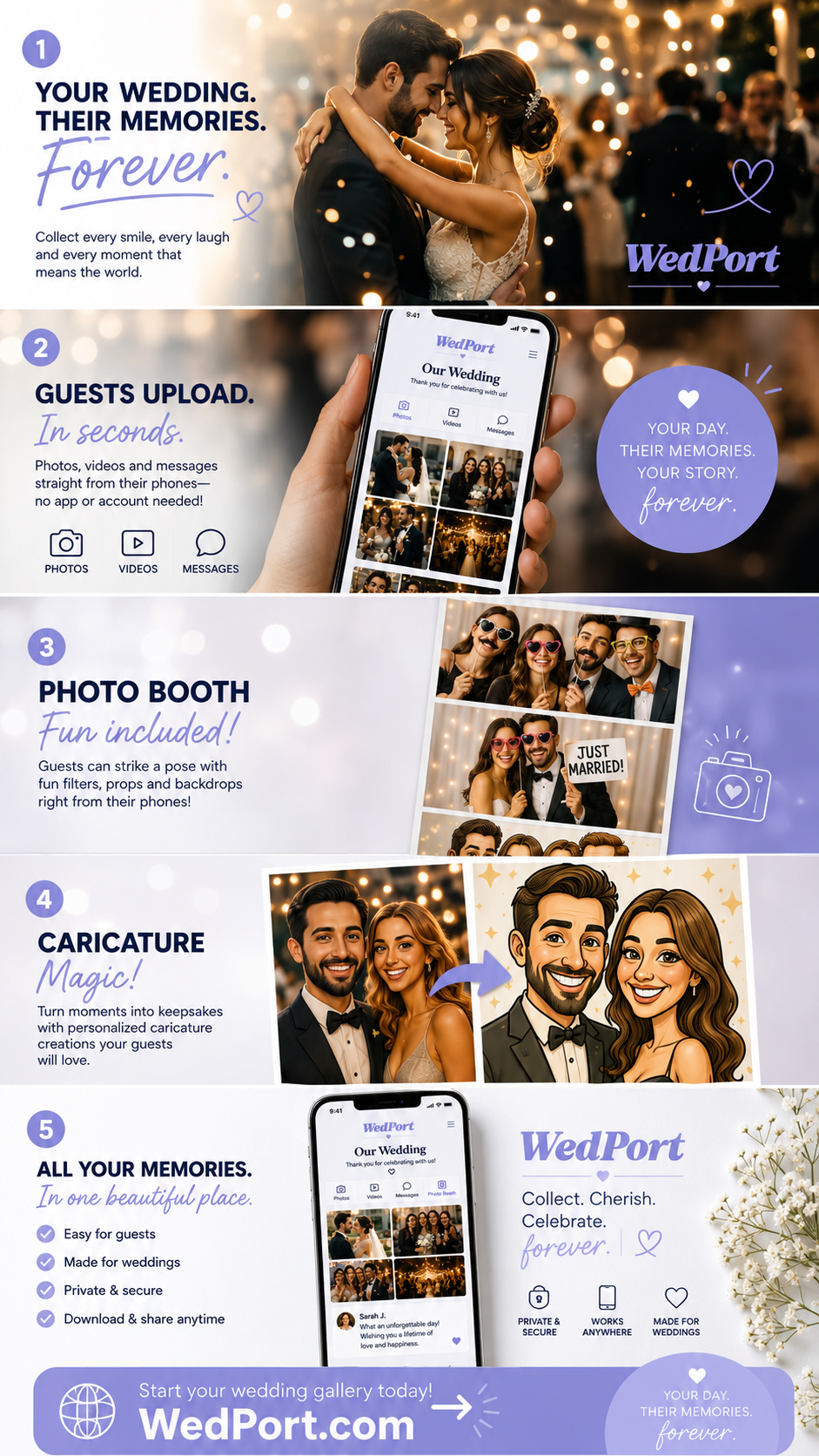


 Image by Laura Anne Watson via One Fab Day
 Image by Sheena T Photography via One Fab Day